In the beta
- “Book now” and “Client login” links for your site, social profiles and Google listing
- Both open your own branded portal, not a page with our name on it
- A public page where new clients ask to book, no account needed first
Beta opens February 2027
Paw Precinct runs pet sitting and dog walking businesses with 1 to 20 sitters. Your clients book, read visit reports and pay in an app with your logo. Your sitters check in, see door codes and send photos, even with no signal. You see the whole day live.
Founding places in the beta are limited. One flat price for your team size, office staff free.

A visit, start to finish
Real screens from the iPhone and Android apps, with an invented business and its clients.

Each sitter sees their visits, homes and pets in order, with a summary of the day in their inbox each morning.

Check in, check out and write the report in a basement or on a back road. It all sends when the phone is back online.
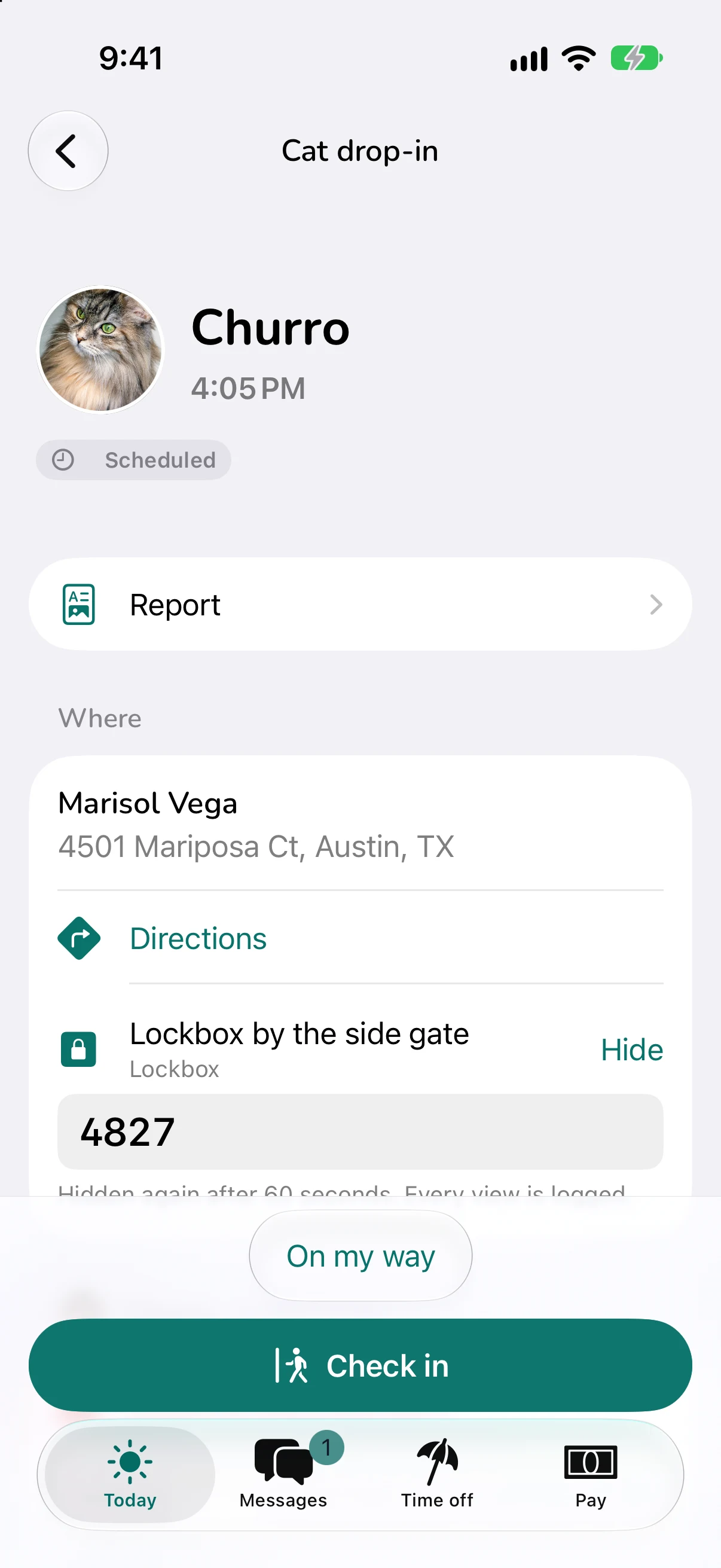
A sitter sees a home's code only for their own visit, around visit time, after a tap. Every view is logged.

Tap through the checklist, add photos and videos and write a note. The walk's route comes along.

The report reaches the household the moment it's sent, with the photos, the times and the route, under your logo.

Invoices go out on your schedule and cards are charged automatically. Clients add a tip, and it goes to the sitter.
Meanwhile, every check-in and report shows on your screen the moment it lands. No group texts.
White-label, on every plan
Two businesses, same software. Their clients would never know. Everything your clients and your team see carries your logo, your colors and your name.


Your clients' home screen, drawn live by the same preview Branding settings shows you. Any color works: shades adjust so text stays readable.
Paw Precinct reads your site for your logo, colors and font. You check each one in the preview before anything changes.

1Paste your website's address

2See what it found

3Check the preview, then save
Most pet sitters already have a website. Link it to your portal in minutes, and after the beta, let new clients ask to book without leaving it.
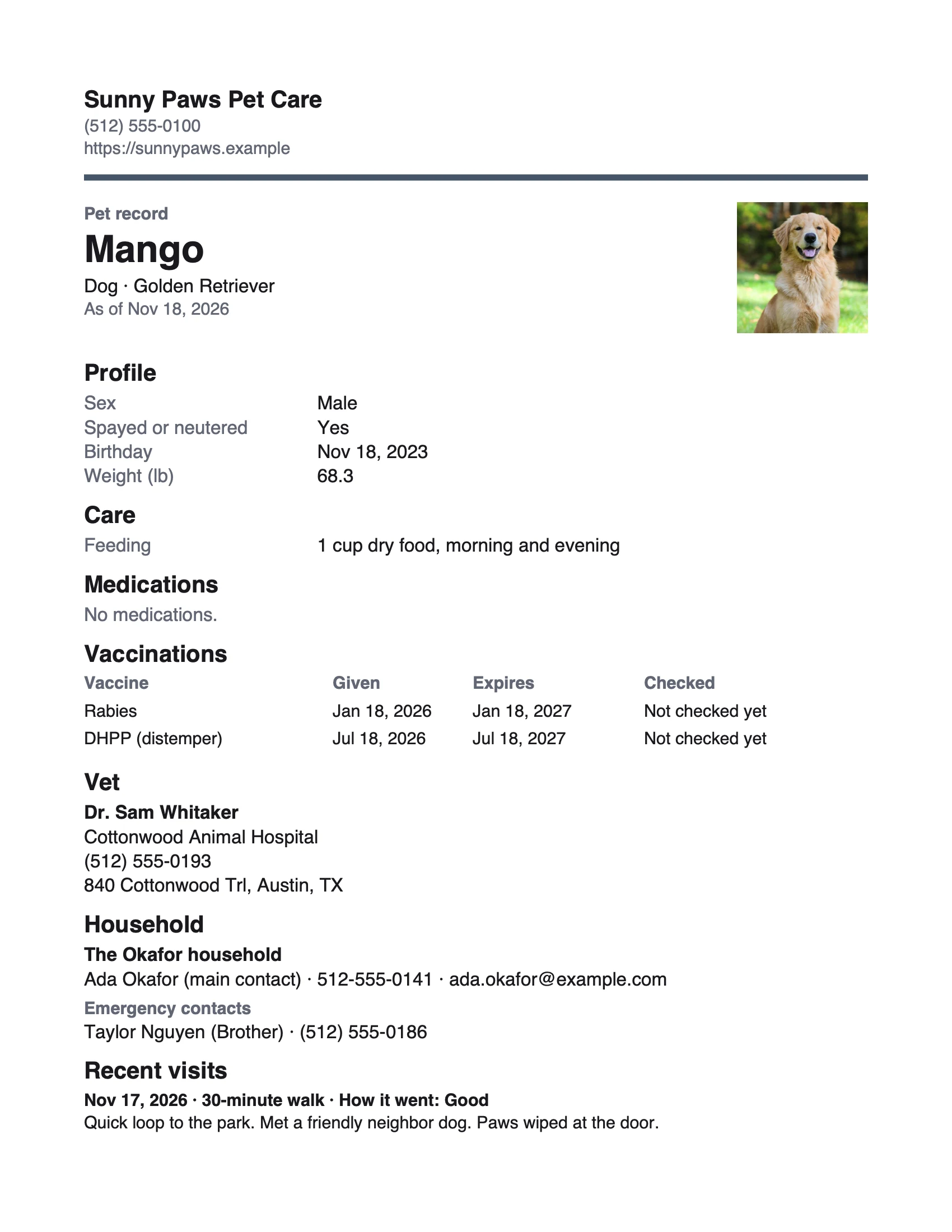
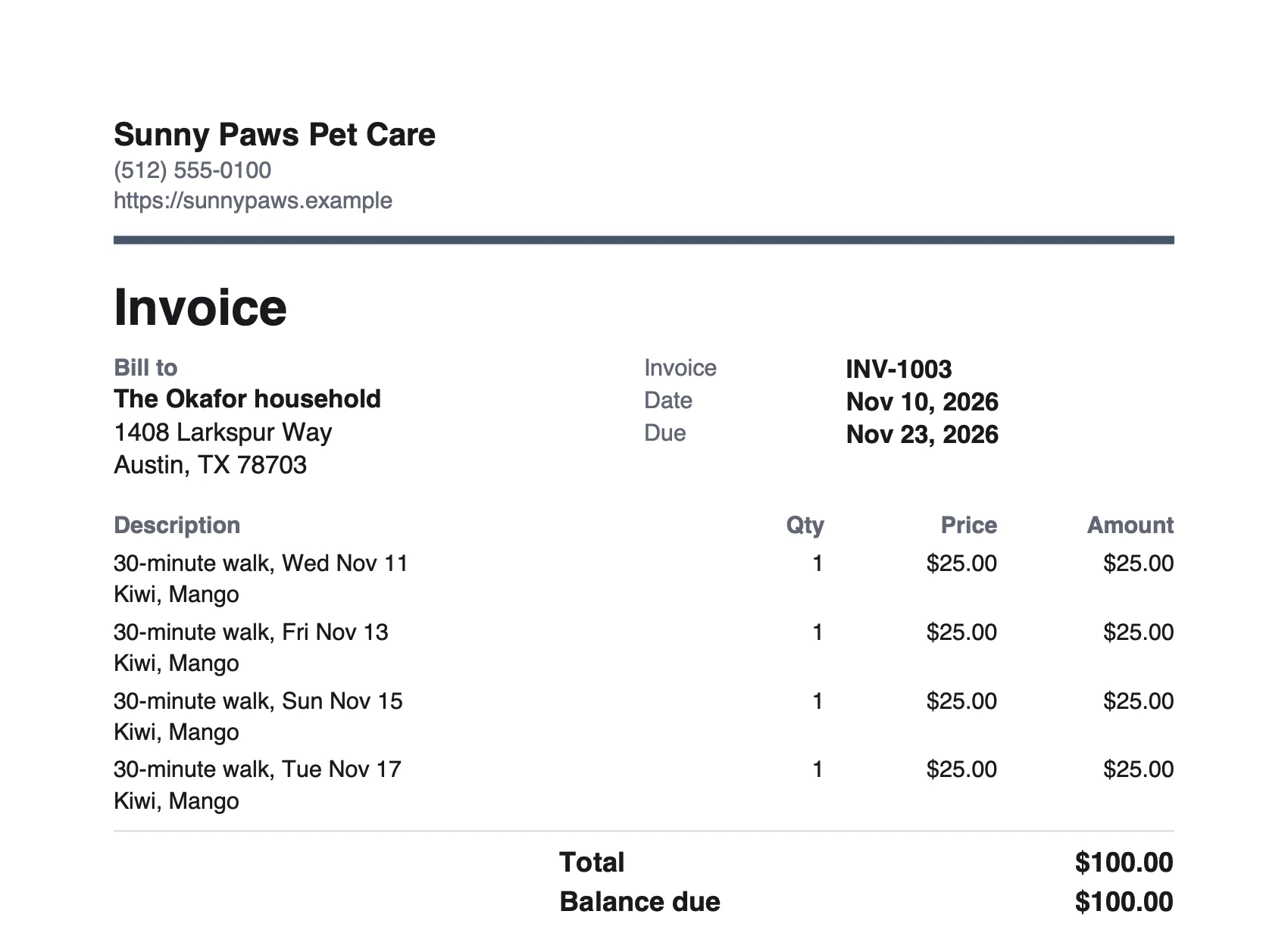
Invoices as PDFs, a pet's whole record for the vet or a kennel, and every photo and video of their pets.
Keys and door codes
Your clients hand you their keys and their door codes. Here's how Paw Precinct keeps them safe.
The office
Who's out, what's done and what needs you, live as your sitters check in. No refreshing, no group texts.

Sample business and invented data. The street map under the pins is an illustration.
Late check-ins, visits without a sitter and new requests rise to the top.
Approve requests, move visits and find cover between your own visits, from the app.
Every check-in, check-out and report the moment it happens.
A summary of the day in your inbox each morning, and the week's numbers every Monday.

On the week board, drop a visit on another day or sitter. A new day is re-priced with that day's fees.

Each sitter's drives between visits, from one check-out to the next check-in, ready for their pay.

A cut-off for next-day requests, regular clients booked automatically, and a stop when a vaccine runs out.
Pay by visit, percent or hour. Card fees come off before the share or not, tips go to the sitter who earned them, and every run has a statement.
Roles for owners, admins and sitters. Time off asked for and approved in the app, with the visits that need cover listed.
Analytics
Money in, visits and late arrivals, always against the period before, in your own colors. Try it: pick a range or a number.
Flip it for the fun names some teams love. It's a switch, and clients never see it.

Northstar Dog Co.
Analytics
Earned
Done visits at their price after discounts, before tax, plus late-cancellation fees not waived.
| Month | Dec 1, 2025 to Nov 18, 2026 | Month | Dec 1, 2024 to Nov 18, 2025 |
|---|---|---|---|
| Dec 25 | $19,199.00 | Dec 24 | $17,536.00 |
| Jan 26 | $18,182.00 | Jan 25 | $14,474.00 |
| Feb 26 | $16,692.00 | Feb 25 | $12,142.00 |
| Mar 26 | $17,453.00 | Mar 25 | $14,109.00 |
| Apr 26 | $18,247.00 | Apr 25 | $15,171.00 |
| May 26 | $19,778.00 | May 25 | $16,018.00 |
| Jun 26 | $23,358.00 | Jun 25 | $18,720.00 |
| Jul 26 | $23,144.00 | Jul 25 | $19,649.00 |
| Aug 26 | $22,431.00 | Aug 25 | $18,237.00 |
| Sep 26 | $19,566.00 | Sep 25 | $14,854.00 |
| Oct 26 | $19,633.00 | Oct 25 | $17,075.00 |
Earned by service
Visits by sitter
When visits happen
An invented five-sitter business with invented numbers, running on the real dashboard. The month so far isn't drawn on the chart.
Run both side by side for a month, and move over when you're sure. Nothing to lose, and your data comes with you.
One flat price for your team size, not a charge for every sitter. No fees for your clients. Take your data with you any time.
1 sitter
$25/mo
Up to 5 sitters
$49/mo
6 to 10 sitters
$99/mo
11 to 20 sitters
$149/mo
Direct deposit for payroll comes as an add-on, price coming.
Early pricing. The 30-day free trial (no card to start) and the free import start at launch.
What's ready and when
Every screen on this page comes from the app as it's built today.
The beta opens in February 2027 for a limited number of founding businesses, chosen from the founding list. Everyone else follows at launch. Join and we'll email you.
Paste your website and your logo, colors and font fill in. Then add your services and your team. Founding members get a 30-minute setup call, and we bring their clients and pets across with them.
Yes, and we suggest it: run both side by side for a month, and switch when you're sure.
Yes. Founding members get help bringing their clients, pets and homes across, whatever they use today, and a free import comes at launch, from your current software or a spreadsheet.
No. From launch, plans are monthly and you can cancel any time: it stops at the end of the month you've paid for. Take a full backup with you whenever you like.
Clients will pay by card or bank through Stripe, at Stripe's standard rates, which your business pays, as with any card reader. Bank payments cost less than cards. You choose whether sitters' pay is worked out before or after the fee.
Never. No booking fees or service fees for pet parents.
Yes, any time. Download a full backup of your clients, pets, visits and money in open formats. Your clients can download their own records, photos and videos too.
No. They see your logo, your colors and your name. The only mention of us is a small “Powered by” line.
Hardly. Your team signs in at your business's own web address, under your logo, and every screen after that is yours. Like your clients, they see us only in a small “Powered by” line.
The app keeps working. Check-ins, photos and reports are saved on the phone and send when the signal comes back.
From the beta: help in the app and by email at support@cyntrixlabs.com, from the people who build it. Questions on weekdays, 9 AM to 5 PM Central. Urgent problems, like a sitter who can't check in or a wrong charge, any day, aiming to answer within an hour.
For now, yes: payments, payroll and our terms are set up for US businesses.
No. Department Mode is an optional switch for your team that swaps in fun, themed names for screens and buttons. It's off unless you turn it on, and clients always get plain words.
CyntrixLabs LLC, a small software studio in Addison, Texas. Its Cyntrix Systems division builds Paw Precinct, alongside working pet care businesses.
Founding places in the beta are limited, and we choose them from this list. Founding members use it free during the beta, get 3 months free after launch and keep their launch price for life. Plus a setup call and a say in what we build next.